LINE CREATORS

LINE Creators Upload Guide

Download the asset ZIP, create the product, match the files to LINE Creators' current accepted sticker-count rules, then preview and submit.

What you download

ZIP plus the main, tab, and sticker files needed for the next LINE Creators step.

What to verify

Check accepted sticker counts, image assignment, and product setup before submission.

When to compare pricing

Go to pricing if you are still deciding on budget, unlock count, or business usage scope.

Check the submission format before you upload.

You will get main.png, tab.png, and 01.png - 12.png, 14 asset files total.

MiniMeOnline currently exports 12 sticker images. Confirm LINE Creators' currently accepted sticker counts before you arrange and upload the files.

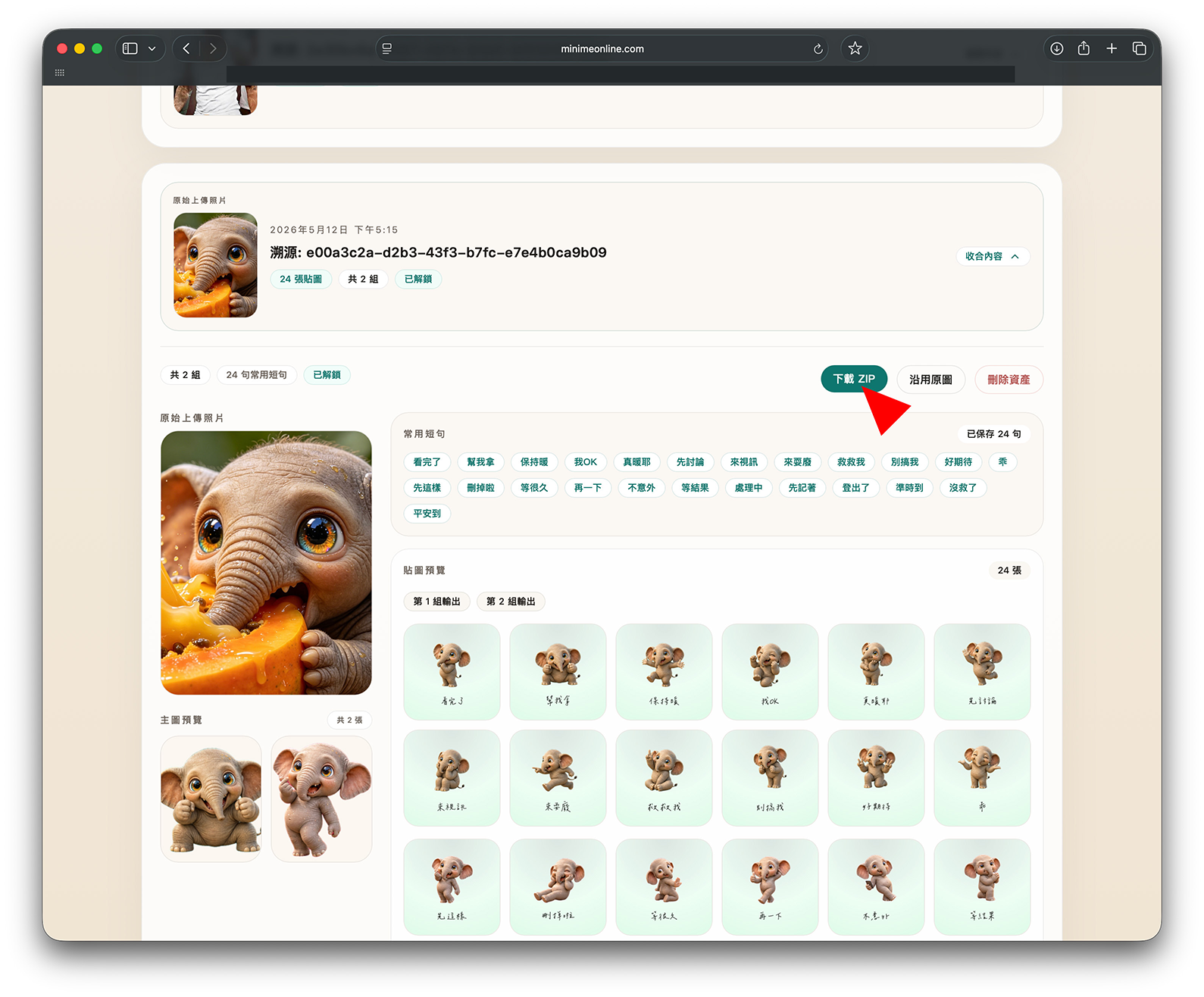
1. Download the ZIP

Library > Select asset > LINE ZIP > Download LINE ZIP

MiniMeOnline LINE Creators ZIP download

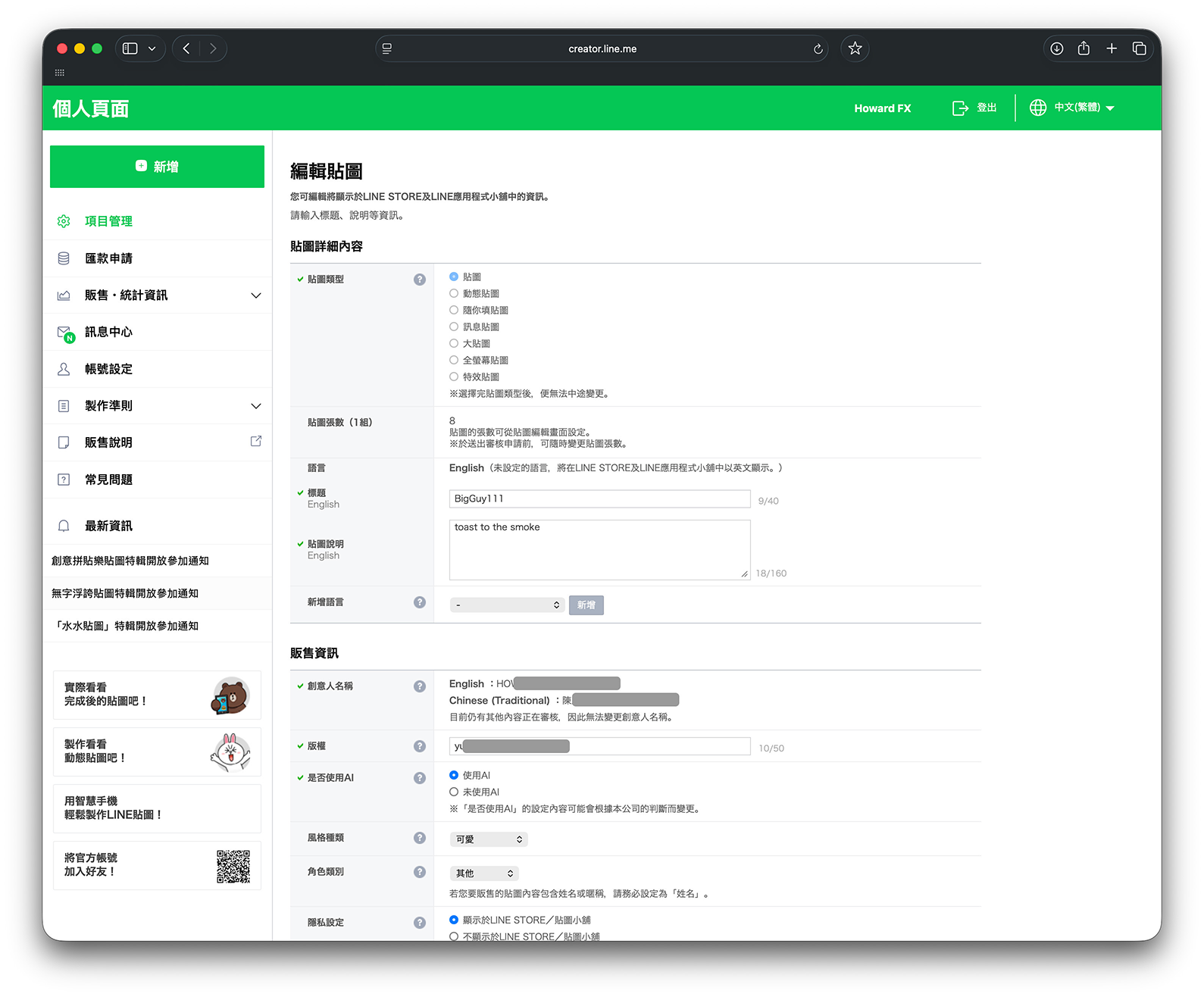
2. Create the sticker product

Create a new product in LINE Creators, fill in the basics, and save it.

LINE Creators new product page

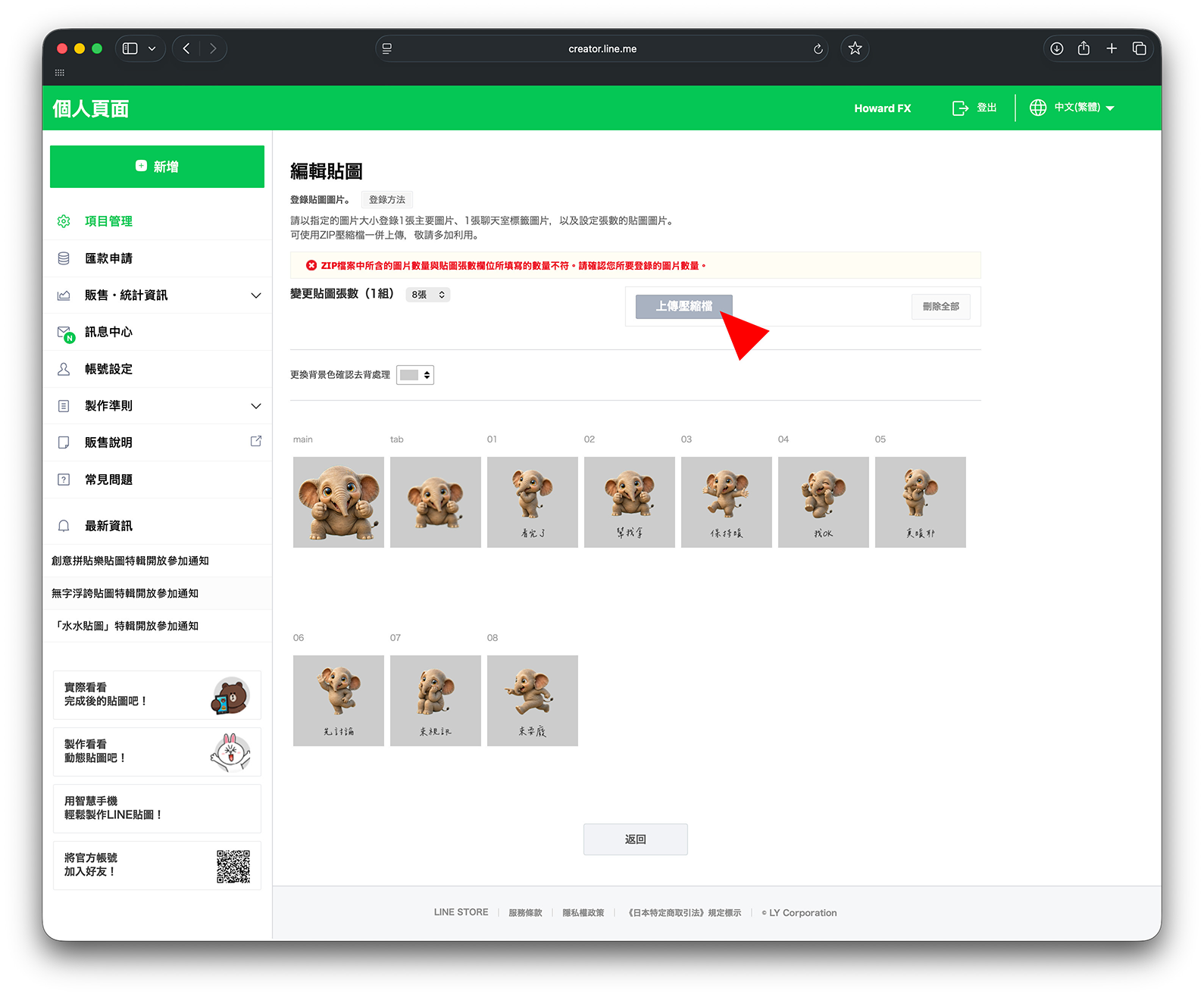
3. Upload the assets

Click Upload ZIP

LINE Creators upload screen

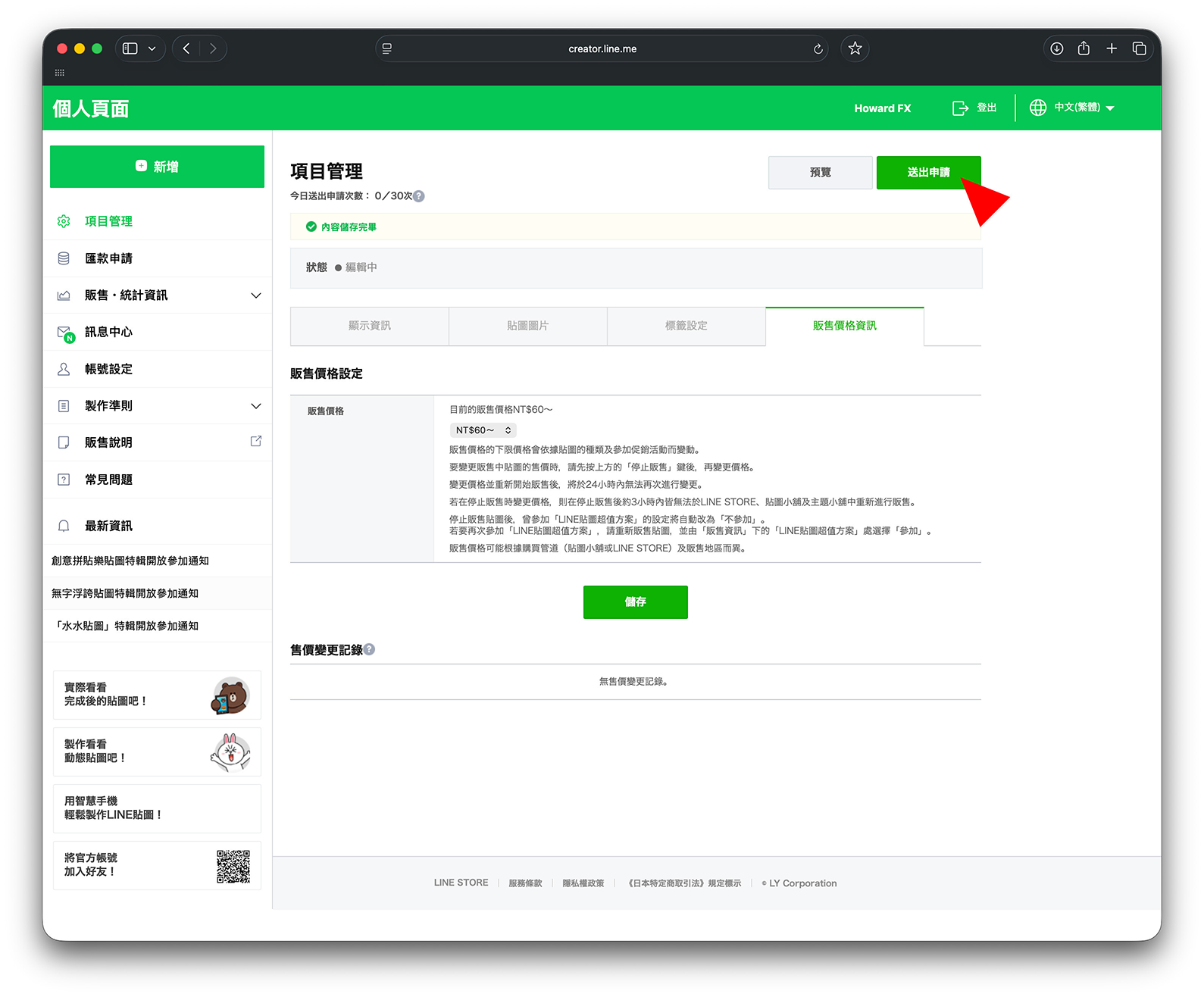
4. Preview and submit

Check the images, order, and main visuals, then submit for review.

LINE Creators preview and submission screen

FAQ

What does this LINE Creators guide cover?

It covers the ZIP download step, product creation, upload flow, and the review checks users should make before submission.

Does MiniMeOnline export files for LINE Creators?

Yes. The workflow prepares the files needed for the next upload step, including the main image, tab image, and sticker files.

Should I read this before buying credits?

Read the guide first if your main concern is submission workflow. Use pricing first if your main concern is budget.